
Process OEM document revisions without rebuilding the engineering data manually.
OEM Library turns each new MPD, AMM, IPC and CML revision into structured data, compares it with the previous version and with the data in your M&E system, and keeps one controlled library of manuals and bulletins.
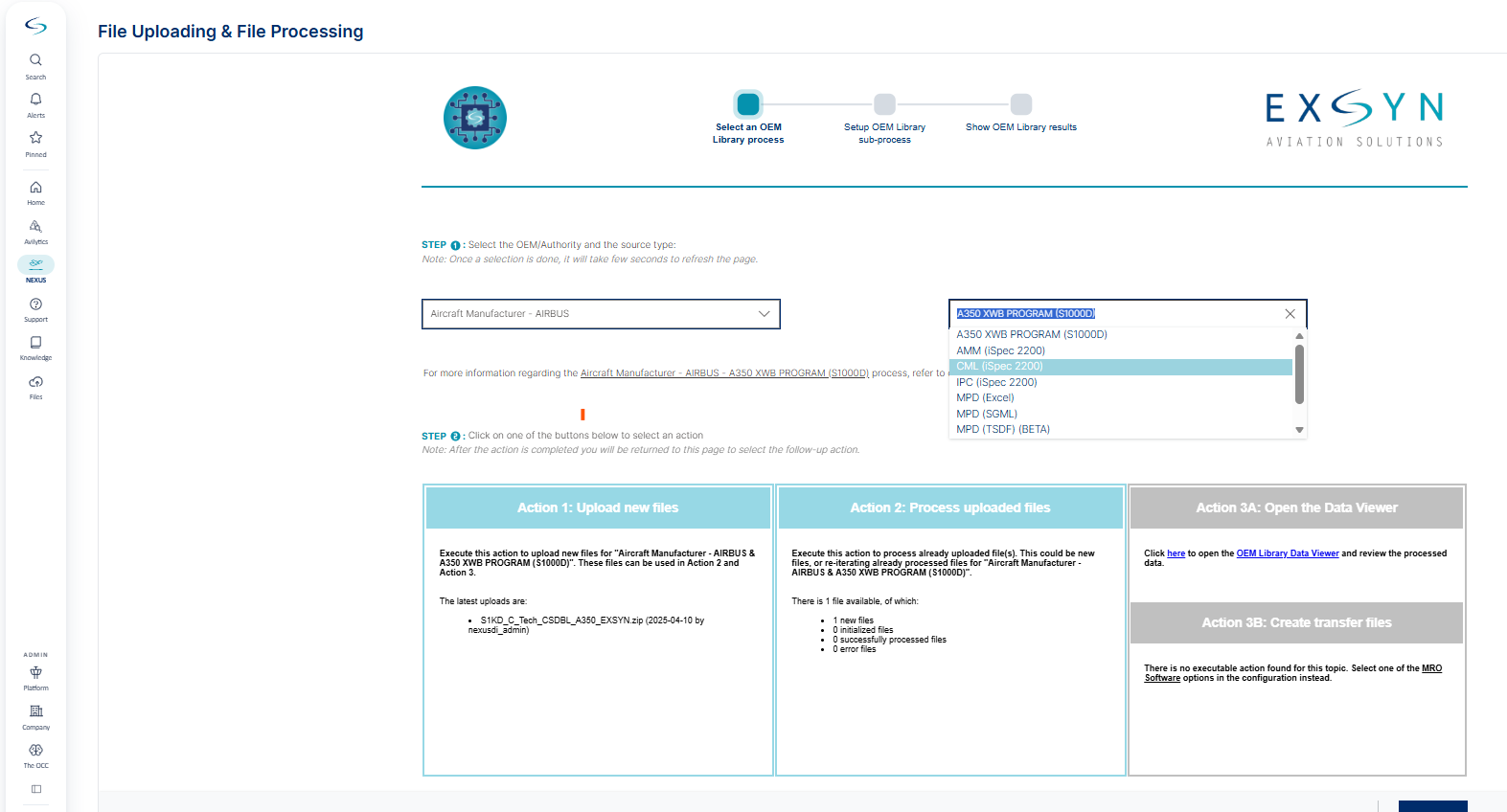
- Covers
- MPD, AMM, IPC and CML, plus manuals and bulletins
- Accepts
- PDF, XML and ZIP files
- You get
- Structured data, revision changes, exceptions and transfer files
- Runs
- With every new OEM revision
Every OEM revision creates another round of comparison, reconciliation and data preparation.
Revisions arrive as documents. Each time, your team works out what changed since the last version, checks what applies to your fleet, re-types task and part data and reconciles it with your M&E system. Then the next revision arrives.
Same OEM revision. No full manual rebuild.
| Without the app | With OEM Library |
|---|---|
| Re-type task and part data from the document | Structure the data from the OEM file |
| Work out by hand what changed since the previous revision | Compare each revision with the previous one, with only the latest active |
| Find part number and interchangeability changes after loading | Check a new IPC revision against the parts data in your M&E system |
| Keep manuals in folders per fleet | Keep one library, classified by aircraft type, document type and revision |
In both cases, your engineers decide what is adopted, when, and how it reaches the M&E system.
Four document types, each structured for its own work.
MPD, AMM, IPC and CML each feed a different part of maintenance and engineering work. The app structures each one for that use, compares it with the previous revision and checks applicability.
MPD
Task definitions, zones and panels, effectivity and time requirements, for maintenance programme work.
AMM
Tasks with work steps, zones and panels, resources, parts and references, for task content.
IPC
Part definitions, alternates, effectivity and position, checked for new part numbers and interchangeability.
CML
Consumable materials with their references, for materials data.
Service bulletins and manuals, classified by aircraft type, document type and revision, with a traceable history.
Works alongside your M&E system, which stays the system of record.
From a new OEM revision to structured data you can load.
Your team uploads the revision and reviews the result. The app processes the document and prepares the data.
- 01 · Upload
New OEM revision
MPD, AMM, IPC or CML revisions as PDF, XML or ZIP files. Where an OEM portal has no direct connection, a connection layer links it to your M&E system.
- 02 · Structure
Classify and structure
Classifies the file by aircraft type, document type and revision, and turns tasks, parts and materials into structured data.
- 03 · Compare
Compare and check
Compares the revision with the previous version, checks applicability and checks it against the data in your M&E system.
- 04 · Your team
Review and load
Engineers review the changes and exceptions, decide what is adopted and load the approved transfer files.
The app performs the repeatable comparison and preparation. Your engineers review the changes and decide what is adopted.
Keep engineering data aligned with OEM revisions, without repeating the full manual preparation.
What is adopted, and when, stays with your engineers.
Less re-typing
Task and part data arrives structured.
Changes visible per revision
Each revision is compared with the previous one, and only the latest is active.
Part changes found before loading
New part numbers and interchangeability are checked against your M&E data.
One library
Manuals and bulletins with a traceable history.
Current OEM data keeps your maintenance data compliant.
OEM Library keeps task and part data in line with the latest OEM revisions, so reviews, directives and work templates start from current data.
Explore our approach →How EXSYN apps build on each other, from trusted data to earlier risk detection.
- Trusted Data
- Compliance ConfidenceWhere this app helps most
- Reliability & Operational Insight
- Early Risk Detection
Processing OEM revisions by hand?
We show an MPD and an IPC revision as structured data, and an IPC check against parts data, with your fleet in mind.
- Which OEMs and aircraft types do you operate?
- How often do revisions arrive, and in which format?
- Which M&E system do you load into?
Questions we often hear
No. It turns OEM documents into structured data for your M&E system and keeps them in one library.
MPD, AMM, IPC and CML revisions, plus service bulletins and manuals.
PDF, XML and ZIP files.
Yes. A complete new IPC revision can be uploaded and checked against the parts data in your M&E system, including new part numbers and interchangeability.
No. The app prepares the data and transfer files. Your engineers review and load them.