AMOS Interfacing: Adaptive Integration Manager (AIM)
Integrating AMOS with external systems is an important requirement for many airlines and MRO organisations. Operational data may need to move between AMOS and flight operations systems, finance platforms, OEM tools, digital records solutions, logistics applications or other systems within the wider aviation environment.
AMOS supports this type of system-to-system data exchange through AIM — Adaptive Integration Manager. AIM provides structured methods for importing and exporting information between AMOS and external applications, allowing organisations to configure interfaces according to their operational and technical requirements.
This guide provides a practical overview of the main AIM services, configuration options, transport methods and triggers used when setting up AMOS interfaces.
What Is AMOS Adaptive Integration Manager (AIM)?
AIM stands for 'Adaptive Integration Manager'. This is the interfacing module supported by AMOS that allows to export/import data from/to AMOS using pre-defined structured XML files.
AIM-related APNs can be found by accessing them from:
Applications -> Administration -> AIM Interfacing
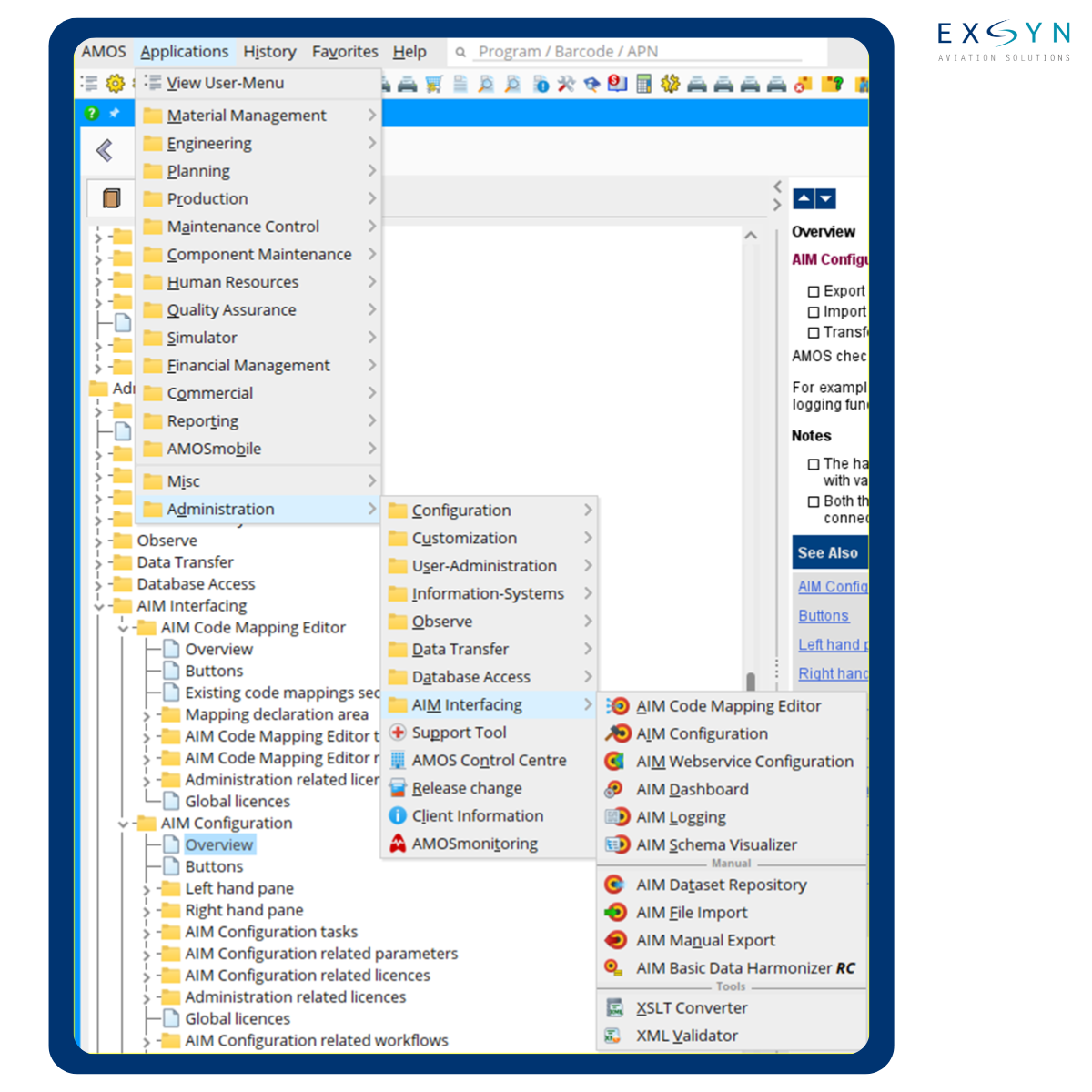
The first step when setting up an AMOS interface is understanding which AIM services are available and which service supports the required data exchange.
How to Identify Available AIM Services in AMOS
When working on AIM interfacing, the first task is to determine which services are offered by AMOS.
Navigate to:
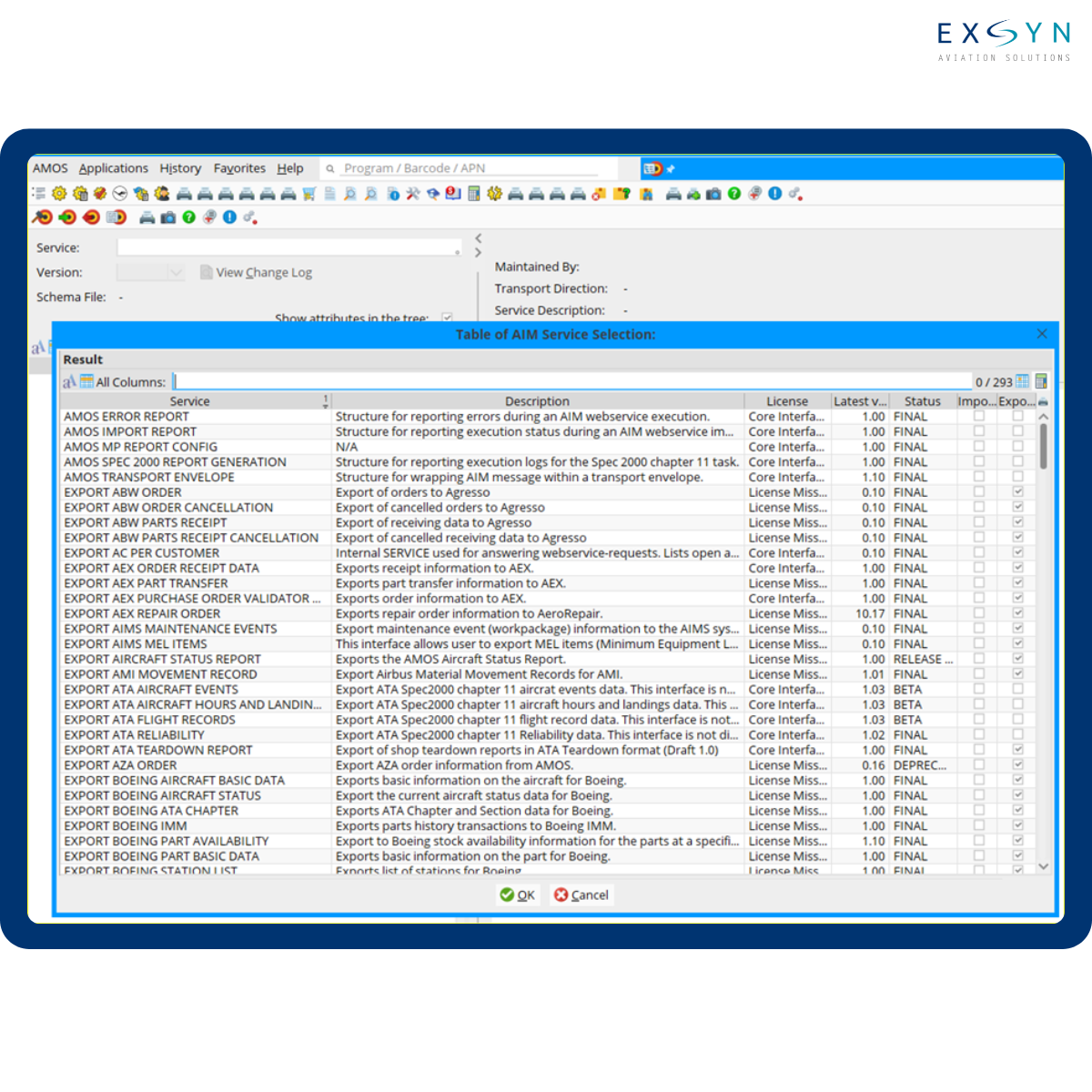
APN 1354 — AIM Schema Visualizer
Double-click the Service text box to open the table of available AIM services. From there, search for and select the required service to view the schema of the supported import or export file.
The schema allows the administrator to understand the structure expected by the selected AIM service before beginning the interface configuration.
How Can AIM Services Be Configured?
AIM services can be configured in two main ways:
Scheduled or event-triggered services using APN 1404 — AIM Configuration
Web services using APN 1470 — AIM Webservice Configuration
Both configuration methods allow the use of selectors. Selectors act as predefined filters that control which data is processed by the AIM service.
The appropriate configuration depends on how the external system needs to exchange information with AMOS and how frequently the interface should operate.
AIM Configuration Transport Types
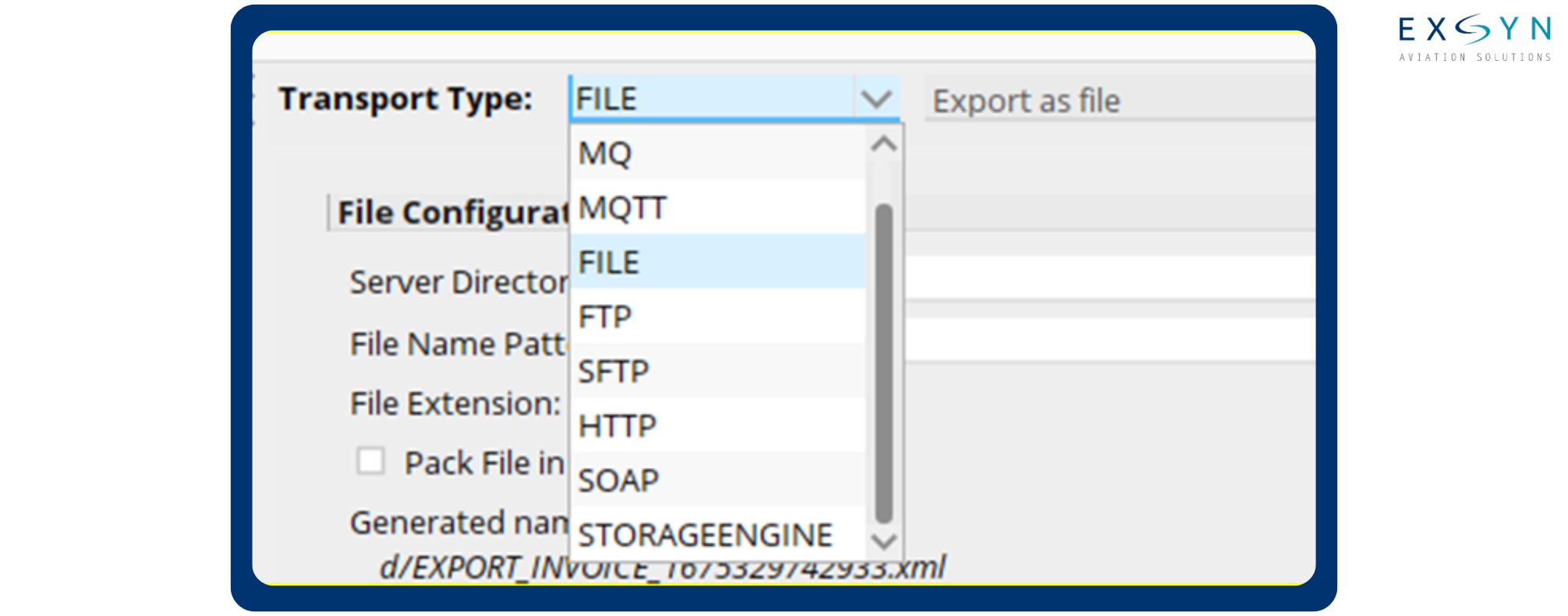
AIM Configuration supports different transport types for exporting data from AMOS.
The selected transport type determines how the output generated by the AIM service is transferred to the external destination.
The transport configuration should be selected according to the technical requirements of the receiving system and the architecture of the interface being implemented.
AIM Web Service Request Types
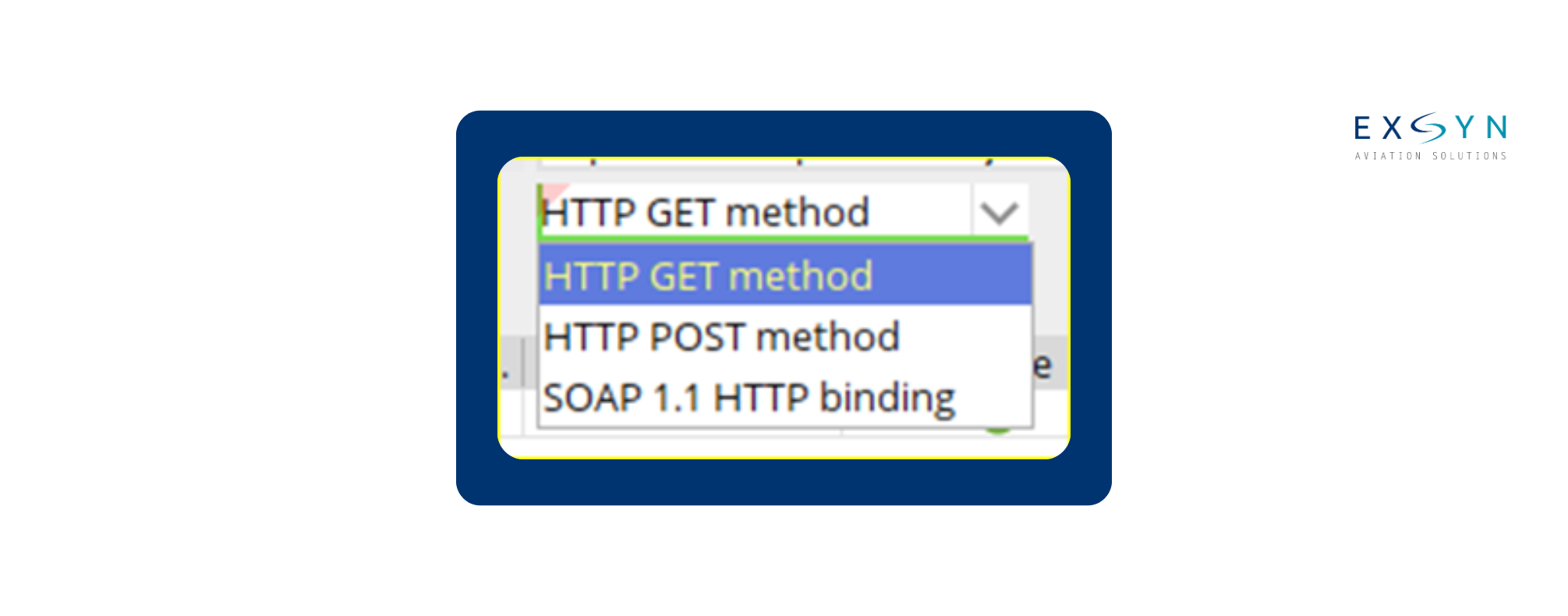
When AIM services are configured through APN 1470 — AIM Webservice Configuration, different request types can be used to support communication between AMOS and the external application.
The appropriate request type depends on how the external system needs to interact with the configured AIM service.
How to Configure an AIM Export in APN 1404
The following process can be used to configure an AIM service for exporting data from AMOS.
1. Open APN 1404 — AIM Configuration.
2. Select the Export tab to configure a service that exports data out of AMOS.
3. Click Add to open the Add a New Configuration window.
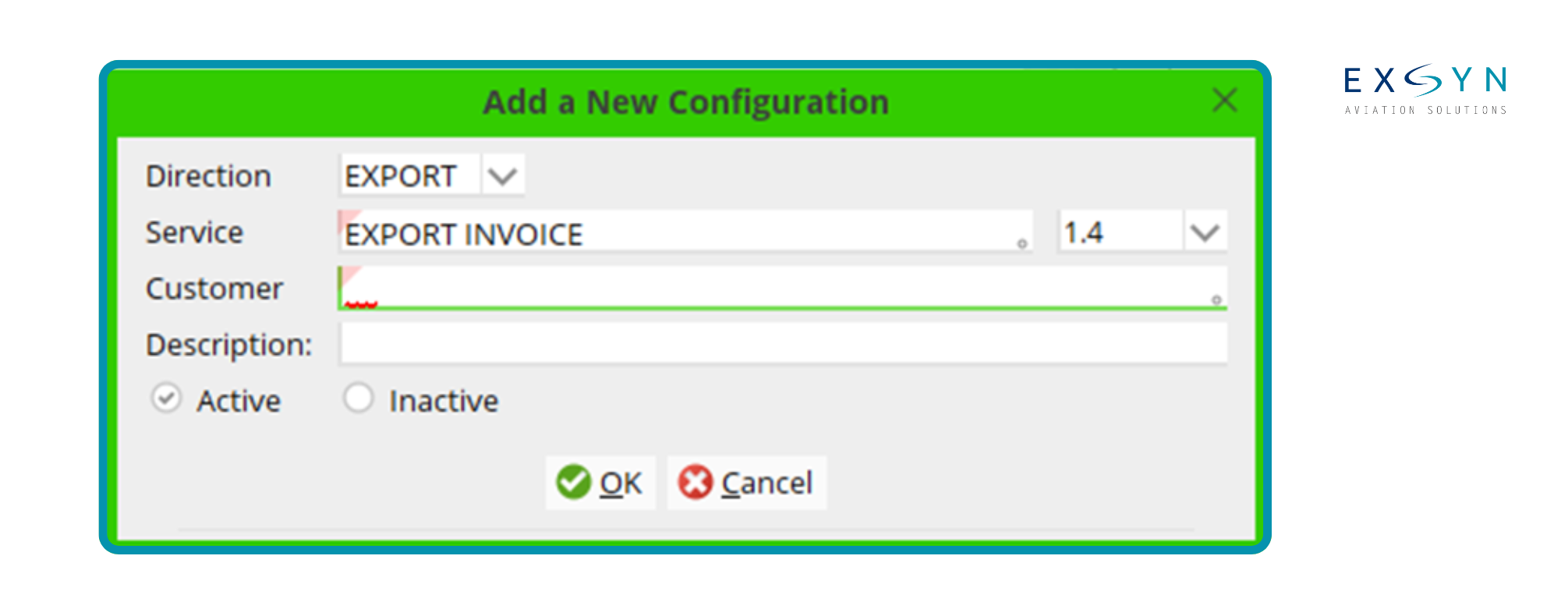
4. Double-click Service and select the required AIM Service.
5. Double-click Customer and select the main entity for which the service is being configured. Ensure that the relevant address has the property IE: Interface Enabled activated within the Address Properties.
6. Enter a description and click OK.
7. Select the newly added configuration to open the Configuration Details window.
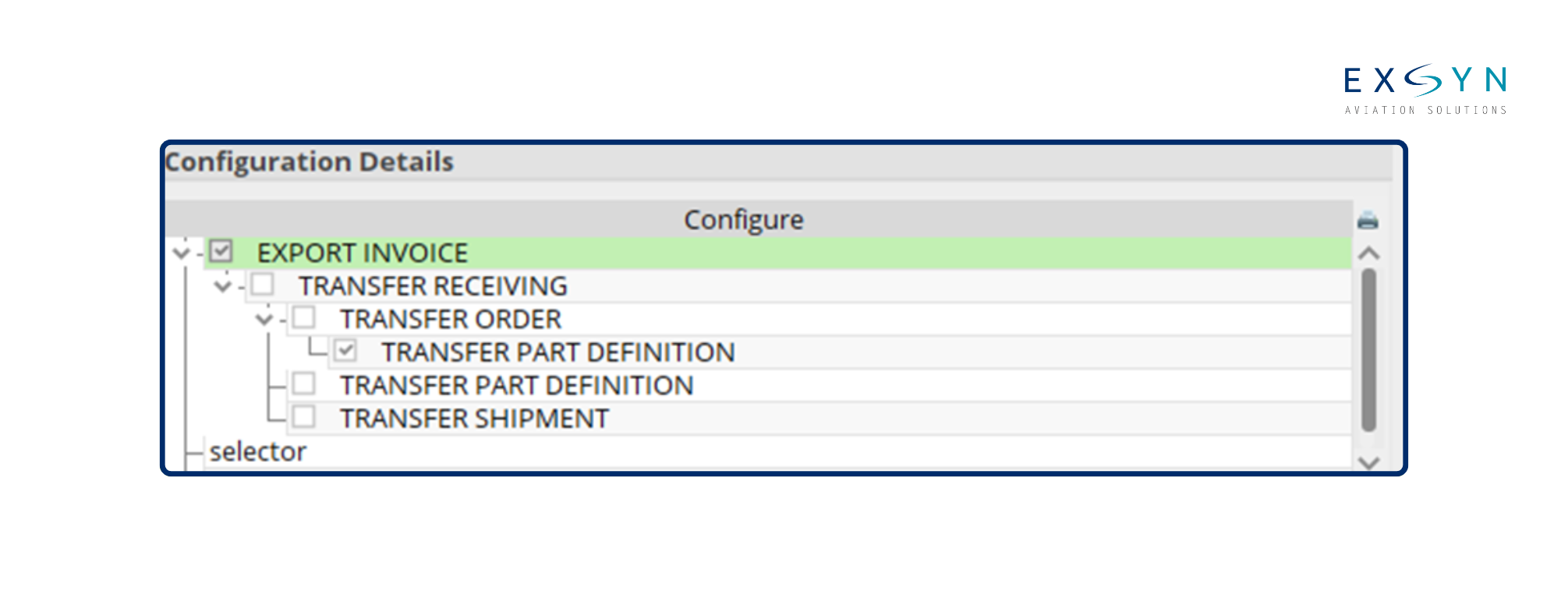
8. Update the main configuration according to the interface requirements. In many cases, the default settings can provide the starting point for the configuration.
9. Select Selector in the Configuration Details pane in the lower-left section of the window.
10. Choose the required Selector Type.
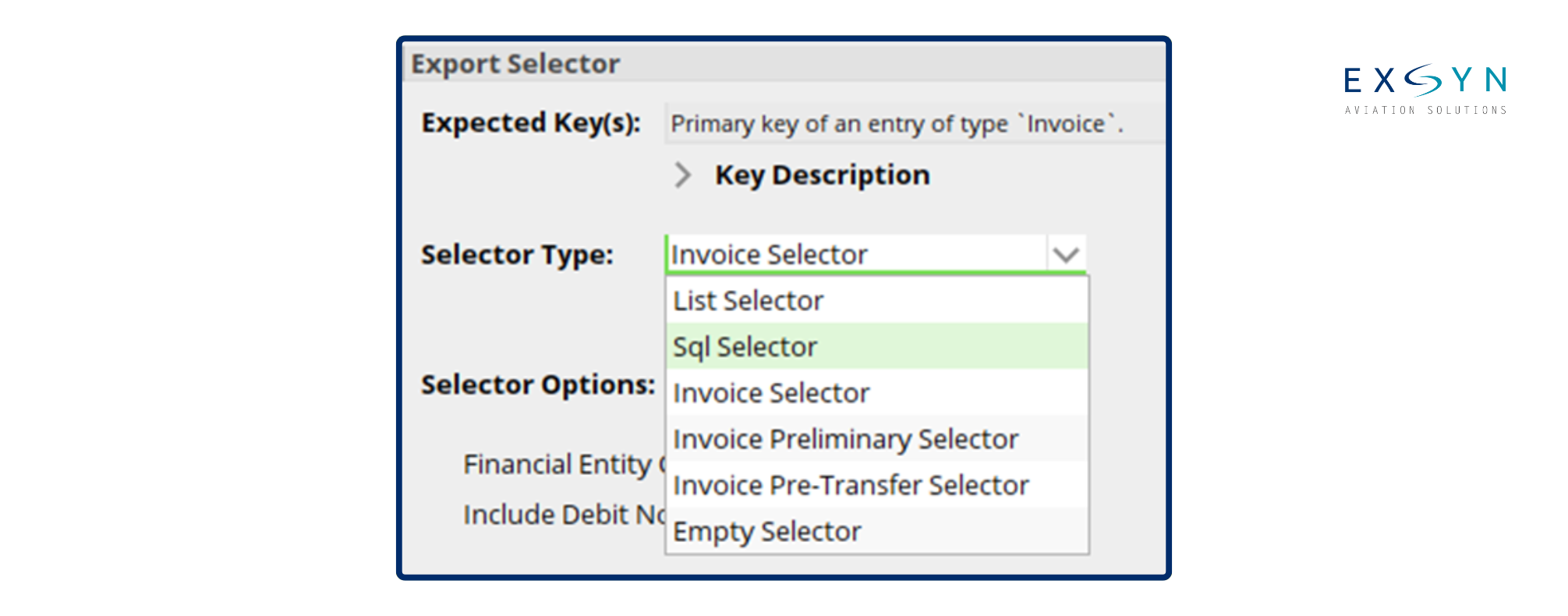
11. Where required, an SQL Selector can be defined to extract only the required data. Identify the primary key of the relevant table using Expected Keys, and use this information to define the SQL selector.
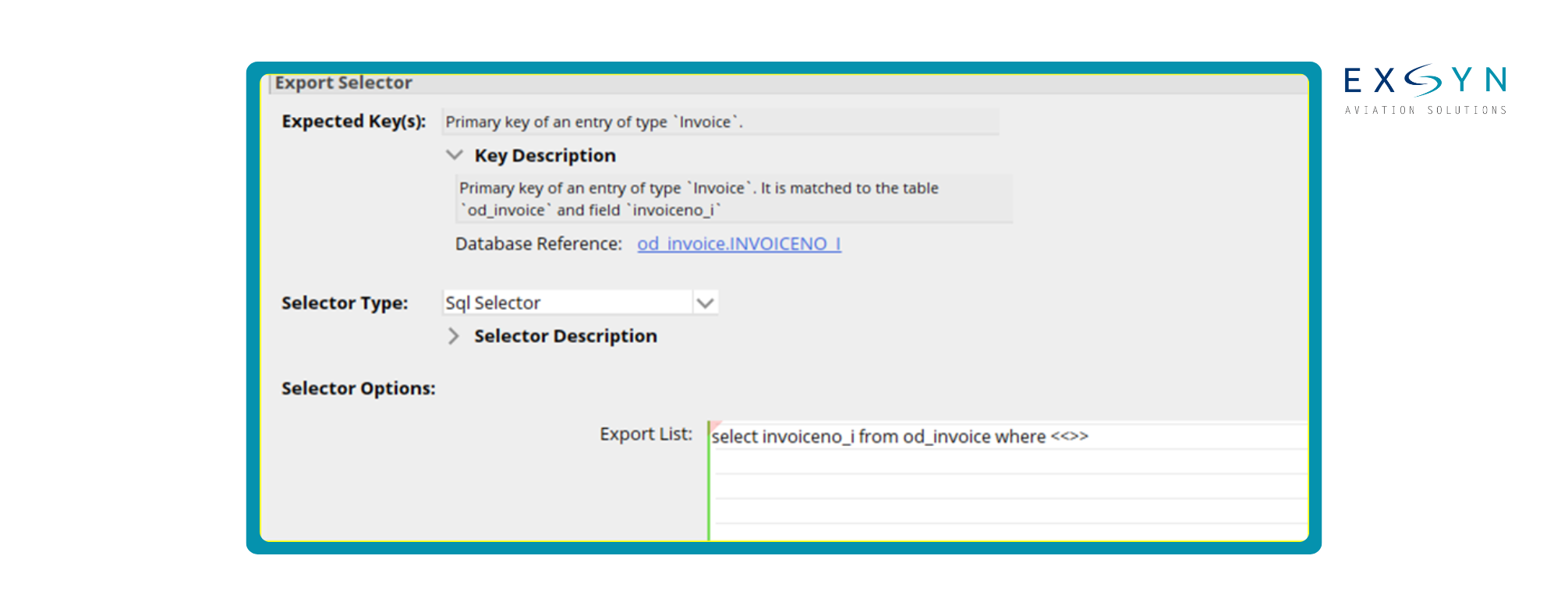
12. Click Test Selector to verify that the selector returns the intended result.
13. Select Transport within the Configuration Details pane.
14. Choose the required transport type and define the corresponding file configuration according to the interface requirements.
15. Click Save to save the AIM configuration.
Testing the selector before activating the interface is particularly important because it confirms that the AIM service is processing the intended dataset rather than exporting unnecessary or incorrect records.
How Can AIM Services Be Triggered?
Once an AIM service has been configured, it can be triggered in several ways depending on the operational requirement.
Manual Trigger
APN 1396 — AIM Manual Export and APN 1403 — AIM File Import can be used to manually export or import files when required.
Before performing a manual XML import, APN 1451 — XML Validator can be used to validate the XML file.
This provides an additional check that the file complies with the expected structure before it is processed by AMOS.
Scheduled Trigger
AIM services can also be configured to run periodically through:
APN 2606 — AMOS Scheduler
This is useful for interfaces where data needs to be exchanged at defined intervals without requiring manual intervention each time.
Event Trigger
AIM services can be triggered by operational events by configuring them as Actions within workflows using:
APN 612 — Workflow Administration
This allows an interface to be linked to a particular workflow event inside AMOS.
Webservice Trigger
AIM services configured through AIM Webservice Configuration can also be triggered by invoking the relevant HTTP/SOAP requests.
The appropriate trigger therefore depends on whether the interface should operate manually, according to a schedule, in response to an AMOS workflow event or through an external web-service request.
Extending AMOS Interfaces Beyond Existing AIM Services
AIM provides a structured framework for many AMOS integration requirements. However, an organisation may also need to exchange information that is not already covered by an available AIM service or needs additional transformation between AMOS and the receiving system.
In these situations, a middleware solution can be used between AMOS and the external application. Middleware can manage additional data transformation, mapping, validation or routing requirements while allowing AMOS to remain connected to the wider system environment.
From AMOS Interfacing to Continuous Data Exchange
A technically successful interface does more than move a file from one application to another. The information exchanged between systems also needs to reach the correct destination in the expected structure and at the required frequency.
As the number of external systems, OEMs, vendors and operational partners increases, maintaining multiple interfaces can create additional integration and monitoring requirements. Automated data exchange can help reduce repetitive manual exports, duplicate entry and fragile file-based handovers while keeping information moving consistently between systems.
EXSYN's Data Integration App supports structured and automated data flows between M&E/MRO systems and the wider aviation ecosystem, including OEM, engine, logistics and other operational platforms.
For organisations using AMOS, this can complement the interfacing capabilities available within the core M&E environment when broader system-to-system integration or recurring external data exchange is required.

Frequently Asked Questions About AMOS AIM Interfacing
-
AIM stands for Adaptive Integration Manager. It is the AMOS interfacing capability used to configure structured data exchange between AMOS and external systems. AIM services can support imports, exports, scheduled processes, event-driven integrations and web-service-based exchanges depending on the selected configuration.
-
Available AIM services and their supported schemas can be reviewed through APN 1354 — AIM Schema Visualizer. Administrators can select an AIM service and inspect the structure of the corresponding import or export file before configuring the interface.
-
APN 1404 — AIM Configuration is used to configure AIM services, including export configurations, selectors and transport settings. Selectors determine which data should be processed, while transport settings determine how the resulting data is transferred.
-
AIM services can be triggered manually, according to a schedule, through an AMOS workflow event or through a web-service request. Manual exports and imports use APN 1396 and APN 1403, scheduled interfaces can use APN 2606, workflow-triggered interfaces can use APN 612, and web-service configurations can be invoked through HTTP/SOAP requests.
-
An SQL Selector allows the AIM configuration to restrict the data processed by a service according to defined SQL criteria. The Expected Keys associated with the service can be used to identify the relevant primary key when defining the selector, and the selector should be tested before the configuration is activated.
-
If the required data exchange cannot be handled directly through an available AIM service, middleware can be introduced to manage additional transformation, mapping or exchange logic between AMOS and the external system.